Technical Support | Documents & Downloads

.

Circular icon for DKS Account Manager

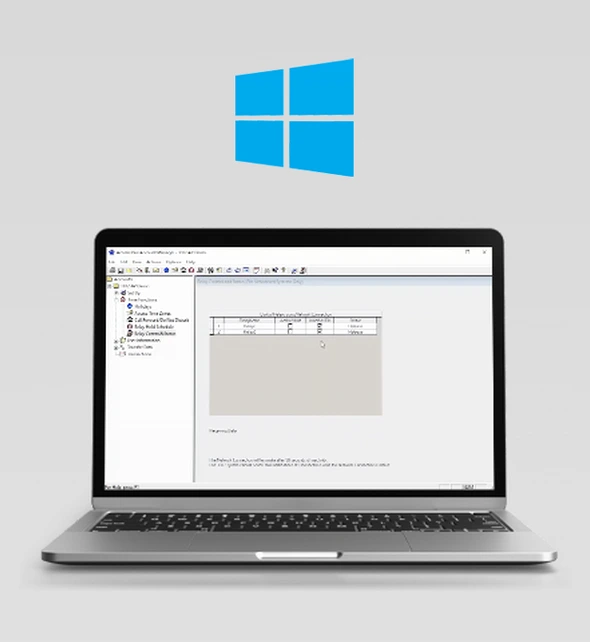
Windows Account Manager Access Plus Series

Computer programming and control for use with the DKS Access Plus Telephone Entry series 1802AP, 1808AP, 1810AP, 1812AP, and 1838AP.

The DoorKing Remote Account Manager Software is a powerful, flexible, and easy to use program which allows you to easily manage access control in a variety of applications, from single access residential to complex gated communities, apartment and condominium buildings, and industrial sites. DKS software is available as a free download and will operate with Windows 7, 8 and 10.

The DKS Access Plus Account Manager Software (.exe file) is available as a free download (see below).

Looking for help with a different product? Start by choosing the product category below:

Tech Support Downloads

SOFTWARE
Access Plus Account Manager

Click link above to download AP software for
1802AP, 1808AP, 1810AP, 1812AP, 1838AP.
AP Version 1.08A
DKS Caller ID
Caller ID App

Allows you to create a contact for your DKS Entry System with a meaningful-to-you name, helping you easily identify guest calls from your Entry System.
DKS Relay
AP Relay Control App

Manage Access Plus systems Relays’ state using either Doorking Server for cellular based systems, or via network for DDNS enabled systems.

Are you brand new to your DKS 1830 Series Entry or Access System?

Follow the 3 easy steps below to activate Windows Account Manager.

Step 1. Download Software
RAM software for 1833, 1834, 1835, 1837, 1838. Download the latest version of 6.5.a This is just the standard Vista-and-up installer, as we’re no longer supporting XP. It includes the new 6.5 PDF documentation.
You must back up and uninstall your existing version before installing version 6.5.
Register your DoorKing Account Manager software to receive update notifications and other benefits, and to enable Internet programming via the DK IM Server.
For programming only, there are several different methods that can be used to connect your programming PC to the DKS 1830 Series systems.
IMPORTANT! If you are planning on using the modem-to-modem (non-internet) method to connect your PC to the 1830 Series system, CLICK HERE and read this document that contains important information about the modems that will work correctly with these systems.  You should also be aware that direct connections from the user PC to the entry system does not include any factory software programming support, which would be available to you for a $49.95 yearly software programming support fee.
 
 
1830 Series Access Controllers can be connected for voice (were applicable) and programming by any of these methods:
  • Cellular 4G-LTE service (note 1)
  • VoIP (note 2)
  • POTS – Plain Old Telephone Service (note 3)

Are you already a user of the DKS Desktop Remote Account Manager?
Follow the 5 easy steps below to convert your existing software database to the Cloud.

Follow These Simple Steps to Convert Your Software Programming Account to the Cloud

Step 1. Activate the Cloud System
This first step turns off your connection between the Desktop Remote Account Manager and your Entry/Access System, and activates the Cloud on your account. This action will not erase or otherwise affect the data stored in your desktop software at all.
We suggest that every staff member programming the system have their own login account. Use these instructions to create any new usernames and passwords needed for staff, tech and others who will be using the Cloud
If you already have an account through the Desktop Remote Account Manager you can still use those login credentials with the Cloud. We suggest that every staff member programming the System have their own login account. Use these instructions to create any new usernames and passwords needed for staff, tech and others who will be using the Cloud.
If you’ve added new user accounts, or have existing user accounts from the Desktop Remote Account Manager, you’ll need to give them access to the Cloud. Use these easy steps to get them programming.

Quick Links for Switching Your Desktop Remote Account Manager to a Cloud Programming Account

Quick Links for Using YourCloud Programming Account

Cloud icon for latest DoorKing software download link

Suggestion: Bookmark This Page

Access Plus Windows Account Manager Software

The Desktop Access Plus Manager Software resides on a single PC and is used to program DKS Access Plus systems only.  The desktop software is a free download and is compatible with Windows 7, 8 and 10.

Use this software to program and manage Access Plus systems 1802 AP, 1808 AP, 1810 AP, 1812 AP and 1838 AP Telephone Entry Systems. Visit the Access Plus Windows Account Manager page to learn more.

How do I install the AP Windows Account Manager?
OWNER'S MANUALS
DKS Doorking 1800-066-Issued-1 19VG Instructions
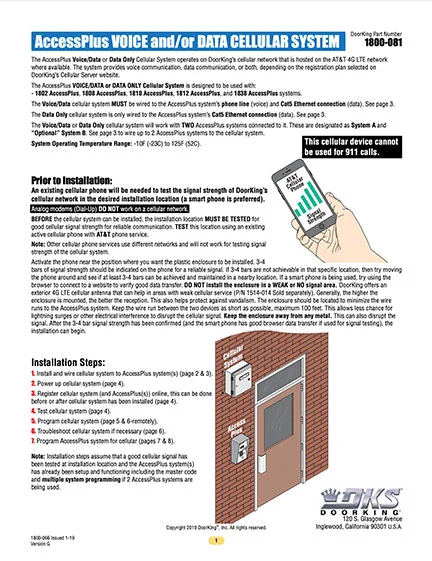
Access Plus Cellular

1800-066-1-19-H
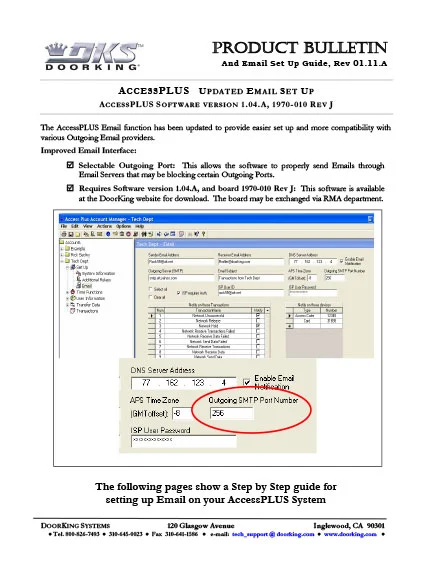
T AP Email update 01-11-A
AP-Email Update Setup
Cellular Voice + Data Access Plus Systems Only

1800-066-1-19-VJ
How to Manuals
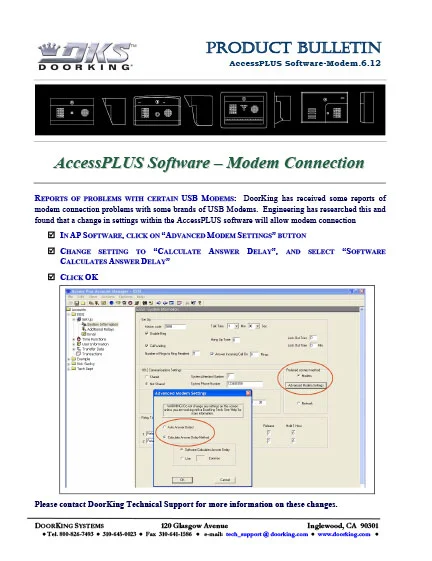
AccessPLUS Modem-6-12
Access Plus Modem
USB Modem Connecton Problem

Connecting to certain US Robotics USB Modems fix.
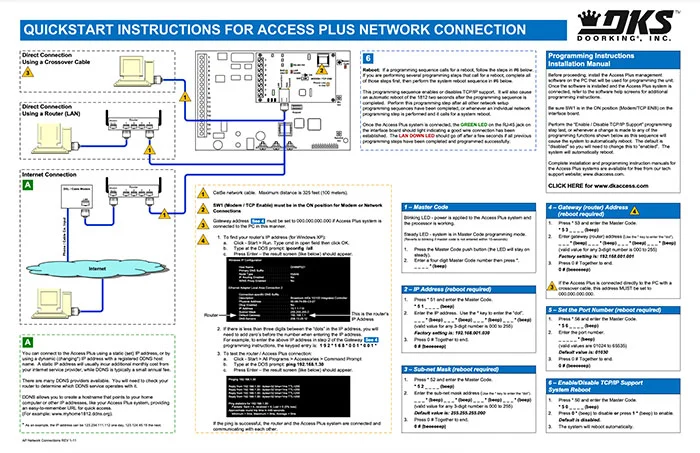
DKS Doorking AP Network Connections Quickstart
Access Plus Network Connection | Quick Start
Network Connection - Quickstart
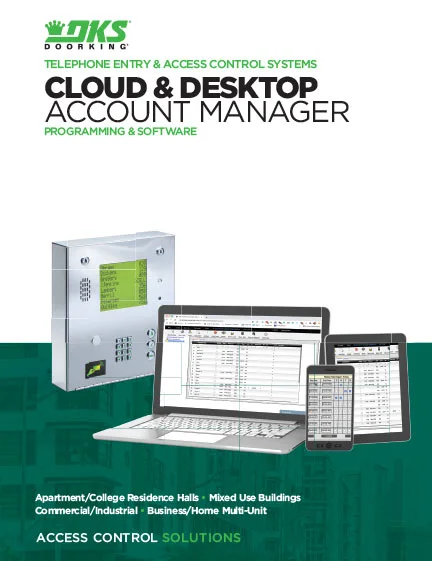
Literature
Cloud & Desktop Account Manager Programming & Software Brochure
Cloud & Desktop Account Manager Programming & Software | Brochure

Rev 2-23
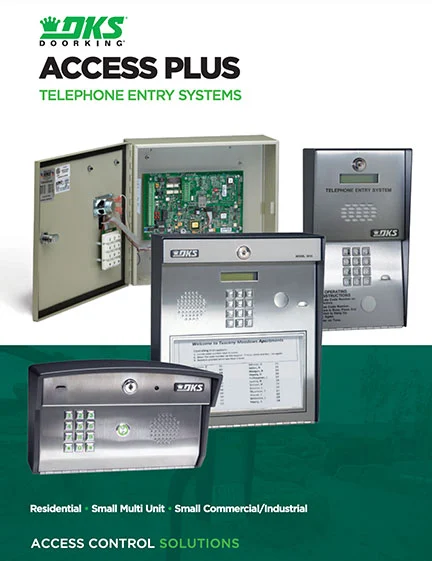
DKS Doorking Access Plus Series Brochure Literature
Telephone Entry Access Plus Series | Brochure

Planning

DoorKing is a registered Continuing Education System provider for the American Institute of Architects.
DKS offers comprehensive help with System design considerations and equipment layouts. We offer assistance whether your application calls for complex Access Control Systems, or just a single door or automated vehicular gate-controlled entry point.

SYSTEM PLANNING CONSULTATION
DKS assists Architects, Engineers, and Consulting Specifiers with CAD drawings, System planning, and 3-part specifications. We will be happy to assist with design and layout parameters for your automated Vehicular Gate and Access Control System requirements.  For assistance, please contact George M. Hendrix, Business Development Manager at 678-230-4162 or email George.

LUNCH & LEARN SESSIONS
To schedule a Lunch & Learn (webinar or in-person) on Automated Vehicular Gate design guidelines that help prevent accidents and injury, and to be sure your design is in compliance with industry safety standards and International Building Codes, please contact Allen Wright, Business Development Manager at 310-489-4875 or email Allen. 

As well as having downloadable information on each specific product, we have collected all our download files click the button below to access all downloads in one location.

Looking for more help?

Monday – Friday
8am est – 7pm est • 5am pst – 4pm pst

Scroll to Top
Skip to content