DKS Tech Tips: Cloud Entry System Management - Activating the Cloud on Existing Programming Accounts
DKS Tech Tips: DoorKing Cloud Entry System Management – Uploading a Software Database to the Cloud
DKS Tech Tips: DoorKing Cloud Entry System Management – Enabling New Uploads to Cloud from Desktop
DKS Tech Tips: DoorKing Cloud Entry System Management – Register & Activate an Account as a New User
DKS Tech Tips: DoorKing Cloud Entry System Management – Logging into the DKS Cloud
DKS Tech Tips: DoorKing Cloud Entry System Management – Introduction to the Account Manager Layout
DKS Tech Tips: DoorKing Cloud Entry System Management – Create a New User Account for Programming
DKS Tech Tips: DoorKing Cloud Entry System Management – Grant Cloud Programming Access to a User ID
DKS Tech Tips: DoorKing Cloud Entry System Management – Adding an Access Device to the DKS Cloud
DKS Tech Tips: DoorKing Cloud Entry System Management – Labeling and Enabling Access Devices
DKS Tech Tips: DoorKing Cloud Entry System Management – Assigning Mass-Enabled Access Devices
DKS Tech Tips: DoorKing Cloud Entry System Management – Naming Your Doors & Gates (Relays)
DKS Tech Tips: Cloud Entry System Management – Managing Door & Gate (Relay) Control and Status
DKS Tech Tips: DoorKing Cloud Entry System Management – Adding a Resident
DKS Tech Tips: DoorKing Cloud Entry System Management – Renaming the Resident and Vendor Headers
DKS Tech Tips: DoorKing Cloud Entry System Management – Setting Access Security Levels
DKS Tech Tips: DoorKing Cloud Entry System Management – Share Resident Data Between Accounts
DKS Tech Tips: DoorKing Cloud Entry System Management – View Resident Change Logs
DKS Tech Tips: DoorKing Cloud Entry System Management – Adding Facility Codes
DKS Tech Tips: DoorKing Cloud Entry System Management – Setting Elevator Security Levels
DKS Tech Tips: DoorKing 2112 eVolve Video Entry System – Registering Your Entry System
DKS Tech Tips: DoorKing 2112 eVolve Video Entry System – Registrando tu sistema de entrada
DKS Tech Tips: DoorKing 2112 eVolve Video Entry System – Enregistrement de votre système d’entrée
DKS Tech Tips: DoorKing 2112 eVolve Video Entry System – Adding Your Entry System to Your Account
DKS Tech Tips: DoorKing 2112 eVolve Video Entry System – Gregando tu sistema de entrada a tu cuenta
DKS Tech Tips: 2112 eVolve Video Entry System – Ajouter votre système de connexion à votre compte
DKS Tech Tips: DoorKing 2112 eVolve Video Entry System – Editing Your System Settings
DKS Tech Tips: DoorKing 2112 eVolve Video Entry System – Editando la configuración de tu sistema
 1:58
DKS Tech Tips: DoorKing 2112 eVolve Video Entry System – Modification de vos paramètres système
DKS Tech Tips: DoorKing 2112 eVolve Video Entry System – Modification de vos paramètres système
1:39
DKS Tech Tips: DoorKing 2112 eVolve Video Entry System – Adding & Managing Administrative Users
DKS Tech Tips: DoorKing 2112 eVolve Video Entry System – Adding & Managing Administrative Users
DKS Tech Tips: DoorKing 2112 eVolve Video Entry System – Adding a New Resident
3:08
DKS Tech Tips: DoorKing 2112 eVolve Video Entry System – Add & Configure Resident Phone Numbers
DKS Tech Tips: DoorKing 2112 eVolve Video Entry System – Add & Configure Resident Phone Numbers
DKS Tech Tips: DoorKing 2112 eVolve Video Entry System – Setting Restrictions for Entry Codes
DKS Tech Tips: DoorKing 2112 eVolve Video Entry System – Setting Up Do Not Call
DKS Tech Tips: DoorKing 2112 eVolve Video Entry System – Creating a Hold Open Schedule
DKS Tech Tips: DoorKing 32 Remote Account Manager Software – Installing the Software
DKS Tech Tips: Doorking 32 Remote Account Manager Software — Updating the Software
DKS Tech Tips: Doorking 32 Remote Account Manager Software — Actualización del software
Doorking 32 Remote Account Manager Software — Mise à jour du logiciel
DKS Tech Tips: DoorKing 32 Remote Account Manager Software – Cellular Registration
DKS Tech Tips: DoorKing 32 Remote Account Management Software – IM Server Registration
DKS Tech Tips: DoorKing 32 Remote Account Manager Software – Data Over IP Device Registration
DKS Tech Tips: DoorKing 32 Remote Account Management Software – Setting Up a New System
DKS Tech Tips: DoorKing 32 Remote Account Manager Software – Sending Data to the Entry System
DKS Tech Tips: DoorKing 32 Remote Account Manager Software – Adding a Resident
DKS Tech Tips: DoorKing 32 Remote Account Manager Software – Deleting a Resident
DKS Tech Tips: DoorKing 32 Remote Account Manager Software – Sorting Resident Data
DKS Tech Tips: DoorKing 32 Remote Account Manager Software – Adding a Device Number
DKS Tech Tips: DoorKing 32 Remote Account Manager Software – Creating A Security Level
DKS Tech Tips: DoorKing 32 Remote Account Manager Software – Locating and Enabling Facility Codes
DKS Tech Tips: DoorKing 32 Remote Account Manager Software – Introduction to Elevators
3:19
DKS Tech Tips: DoorKing 32 Remote Account Manager Software – Relay / Elevator Table Programming
DKS Tech Tips: DoorKing 32 Remote Account Manager Software – Relay / Elevator Table Programming
DKS Tech Tips: DoorKing 32 Remote Account Manager Software – Programming Resident Elevator Settings
DKS Tech Tips: DoorKing 32 Remote Account Manager Software – Programming Elevator Security Levels
DKS Tech Tips: DoorKing 32 Remote Account Manager Software – Programming Elevator Reference Settings
DKS Tech Tips: 1830 Series Telephone Entry Systems – Manually Programming an Entry Code
DKS Tech Tips: 1830 Series Telephone Entry Systems – Manually Testing a Keypad
DKS Tech Tips: 1830 Series Telephone Entry Systems – Manually Programming a Device Code
DKS Tech Tips: 1830 Series Telephone Entry Systems – Manually Performing the RS-232 Test
DKS Tech Tips: Manual Phone System Programming – Setting the Relay Strike Time
DKS Tech Tips: 2358 Tracker Board Settings – Assigning an Access Point / Relay
DKS Tech Tips: 2358 Tracker Board Settings – Setting the Access Point/Relay Exit Button Strike Time
DKS Tech Tips: 2358 Tracker Board Settings – Setting the Access Point / Relay Strike Time
DKS Tech Tips: DoorKing Access Plus Account Manager Software – Installing the Software
DKS Tech Tips: DoorKing Access Plus Account Manager Software – Updating the Software
DKS Tech Tips: DoorKing Access Plus Account Manager Software – Creating a New Account
DKS Tech Tips: DoorKing Access Plus Account Manager Software – Adding a User and Phone Number
DKS Tech Tips: DoorKing Access Plus Account Manager Software – Adding an Access Code
DKS Tech Tips: DoorKing Access Plus Account Manager Software – Creating an Access Time Zone
DKS Tech Tips: DoorKing Access Plus Account Manager Software – Setting Up Call Forwarding
DKS Tech Tips: DoorKing Access Plus Account Manager Software – Restoring the Database
DKS Tech Tips: DoorKing Access Plus Account Manager Software – Backing Up the Database
DoorKing Access Plus Account Manager Software – Unit Relay Control & Status
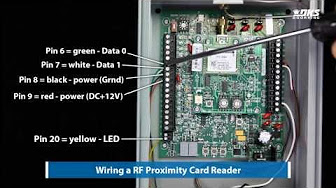
DKS Tech Tips: 2358 Tracker Board Settings – Setting the Access Point / Relay Strike Time
DKS Tech Tips: 2358 Tracker Board Settings – Setting the Access Point/Relay Exit Button Strike Time
DKS Tech Tips: 2358 Tracker Board Settings – Assigning an Access Point / Relay
DKS Tech Tips: Remote Stations – Installing Wireless Tracking
DKS Tech Tips: Smart Gate Controller — Setting up the Smart Connect App on Android
5:52
DKS Tech Tips: Smart Gate Controller — Configuration de l'application Smart Connect sur Android
DKS Tech Tips: Smart Gate Controller — Configuration de l'application Smart Connect sur Android
DKS Tech Tips: Smart Gate Controller — Configurando la aplicación Smart Connect en Android
DKS Tech Tips: DoorKing Smart Gate Controller – Setting Up the Smart Connect App on iPhone
DKS Tech Tips: DKS Smart Gate Controller–Configuration de l’application du Smart Connect sur iPhone
DKS Tech Tips: DoorKing Smart Gate Controller–Configurando la aplicación del Smart Connect en iPhone
DKS Tech Tips: DoorKing Smart Gate Controller– Configuring the Smart Connect App Settings on Android
DKS: Smart Gate Controller Configuration des paramètres de l’application Smart Connect sur Android
DKS Tech Tips: Smart Gate Controller – Configuración de la aplicación Smart Connect en Android
DKS Tech Tips: Slide Gate Operators – Easy Setup