Easy Connect | CONTROL OPTIONS

Smart Gate Controller
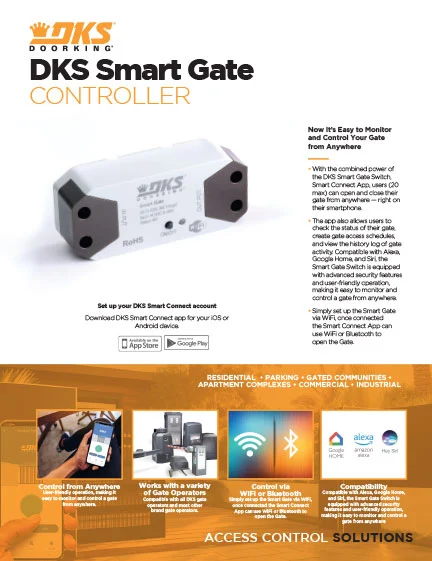
With the combined power of the DKS Smart Gate Switch, Smart Connect App, and a WiFi connection, up to 20 users can open and close their gate from anywhere — right on their smartphone.
Smart Gate Controller
Now It’s Easy to Monitor and Control Almost Any Gate from Anywhere
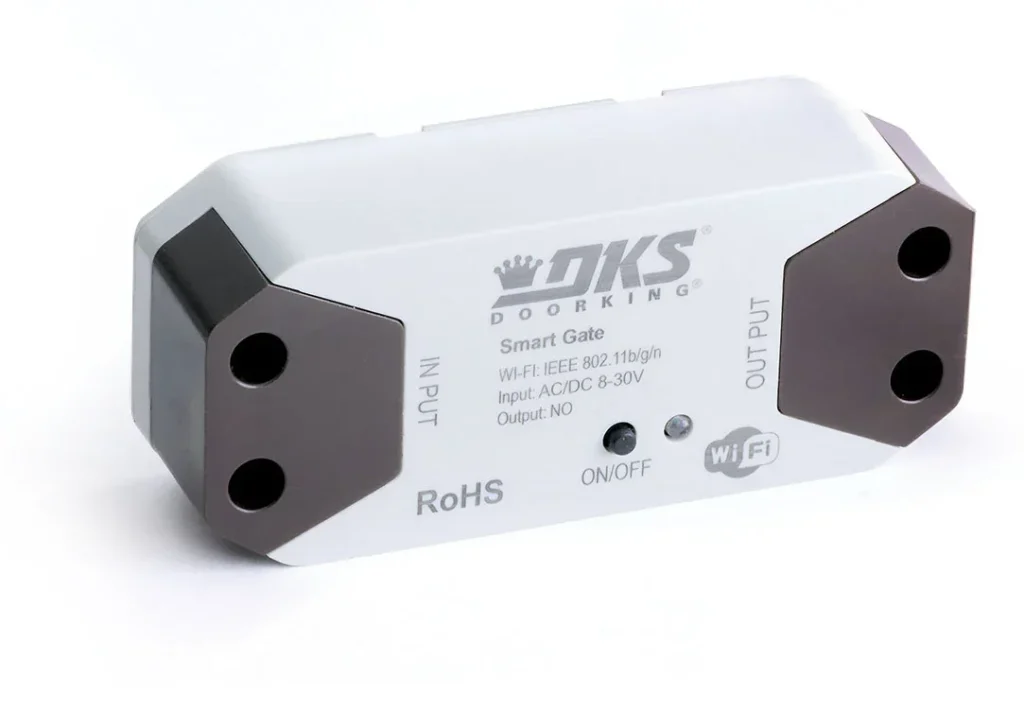
The DKS Smart Gate Controller is powered by 3 components: the Smart Gate Switch, Smart Connect Smartphone App, and a WiFi connection. With the combined power of easily installed hardware, smartphone app and wireless internet connection, administrators can assign up to 20 users the ability to open and close their gate from anywhere — right from their smartphone. The Smart Connect App also allows authorized users to check the status of their gate, create gate access schedules, and view the history log of gate activity. The Smart Gate Controller is our most versatile Gate Controller as it’s compatible with any gate operator with a built-in reply switch — manufactured by DKS or any other brand. Compatible with Alexa, Google Home, and Siri, the Smart Gate Switch is equipped with advanced security features and user-friendly operation, making it easy to monitor and control a gate from anywhere.
Compatible with All Built-in Reply Switch Gate Operators
Easy On-Gate Installation
Compatible with Alexa, Google Home & Siri
Looking for a More Powerful Way to Control a Gate Operator?
Applications
Single Family Residential

Large Multi-Family Residential

Small Multi-Family Residential

Mixed Use Buildings

Product Compatibility
DKS Swing & Slide
Gate Operators
Compatible with All DKS
Gate Operators
Other Swing & Slide
Gate Operators
Compatible with Most Gate Operators Equipped with a Built-in Reply Switch from Other Manufacturer
How It Works
DRAWING OF HARDWARE ON GATE
CONNECTION LINES TO WIFI
CONNECTION LINES TO APP ON PHONE

Features
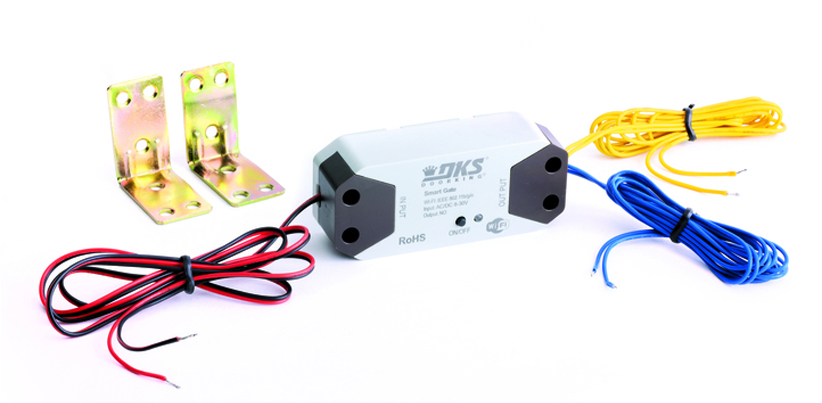
Simple Installation Makes the Smart Gate Controller a Smart Choice for Easy Gate Operation
Looking for a solution that simply makes sense? The Smart Gate Switch easily connects to any Gate Operator that has a built-in relay switch, providing seamless control over the gate system. With DKS, you can trust that your gate operation will be efficient, reliable, and hassle-free. Say goodbye to complex setups and hello to simplicity with the DKS Smart Gate Controller.
Control Your Gate via the App or Your Voice
The Smart Gate Switch is easily set up via WiFi, and once connected the Smart Connect App can use WiFi or Bluetooth to open the gate whether you’re at home or out and about.
The Smart Gate Switch is also conveniently compatible with Alexa, Google Home, and Siri — so you’re just one “Alexa, open the Doorking Smart Gate” away from effortless gate control.
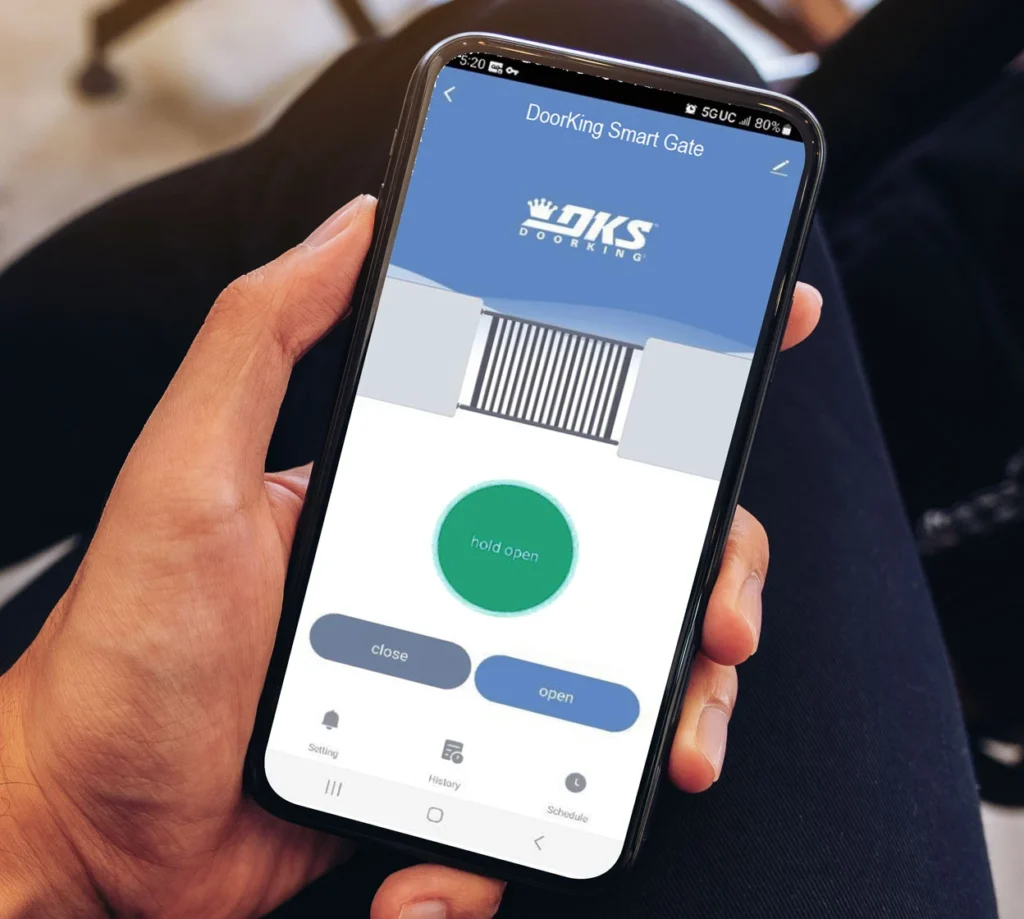
Reliable Gate Control without All the Bells and Whistles
Designed for properties with one or more vehicular gates and 20 or fewer users, the Smart Gate Controller provides all the core features to operate and monitor your gates without the need to control door, foot gate, elevator access, or beyond.
The straightforward, user-friendly app makes it easy to monitor and control a connected gate from anywhere. The app also allows users to check the status of their gate, create gate access schedules, and view the history log of gate activity.
Ready to Install the Smart Gate Controller?
Technical Specifications

Compatible
with iOS

Compatible
with Android
Works
with Google Home

Works
with Alexa

Works
with Siri
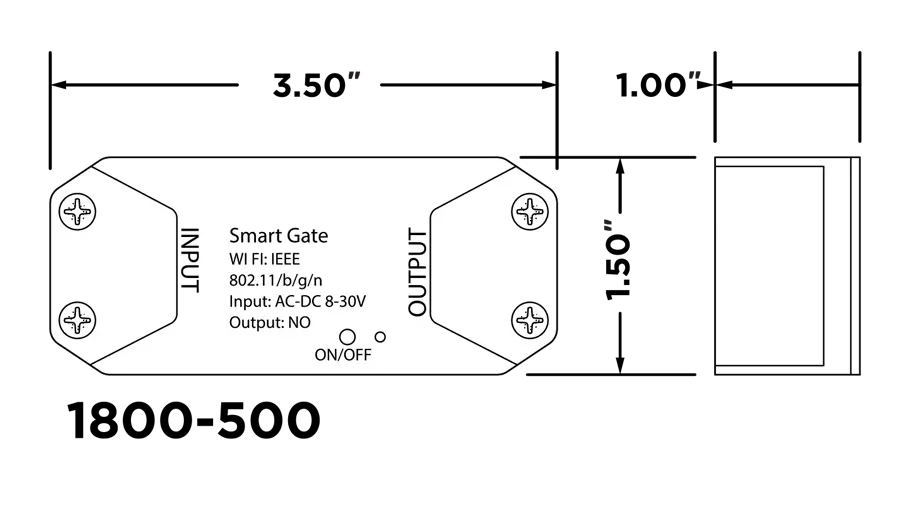
Smart Gate Switch 1800-500
- Input Power: 8-30 VAC/VDC
- N.O. Relay Output
- WiFi: 2.4 GHz IEEE 802.11b/g/nWiFi connection is required for initial setup and remote operation. After initial setup, if a WiFi signal is not present, the Smart Gate Switch and Smart Connect app will automatically use Bluetooth1 for connection and control with a smartphone. 1. Bluetooth must be enabled on the smartphone. Bluetooth range is limited to the immediate area (20-30 feet) from where the Smart Gate Switch is located.
- Gate Position Input: Use the Gate Operator position relay (if available) to enable gate status (open / close) on the app. If the Gate Operator does not have a position relay, then a separate magnetic sensor switch will need to be installed to enable this feature.
Smart Connect App
DKS SMART GATE SWITCH |
|
ENTRY SYSTEMS |
8 - 30 VAC / VDC |
OUTPUT |
N.O. relay output |
WIFI |
WIFI 2.4 GHz WiFi IEEE 802.11b/g/n 2 |
GATE POSITION INPUT |
GATE POSITION INPUT Required for app position indication INPUT OUTPUT |
Tech Support
Find all the documentation needed to install, program, and operate your DKS product below.